
All ShieldPSA features for MSP service operations.
Explore the complete ShieldPSA feature set for service desk operations, customer and contract management, workflow automation, AI assistance, time and billing, integrations, reporting, and MSP-ready tenant administration.
Request intake, delivery, billing, and reporting in one operating view.
ShieldPSA organizes service work around the way teams operate each day: capture requests, apply customer and contract context, deliver with automation and approvals, track time and billing readiness, and keep reporting and tenant accountability visible.
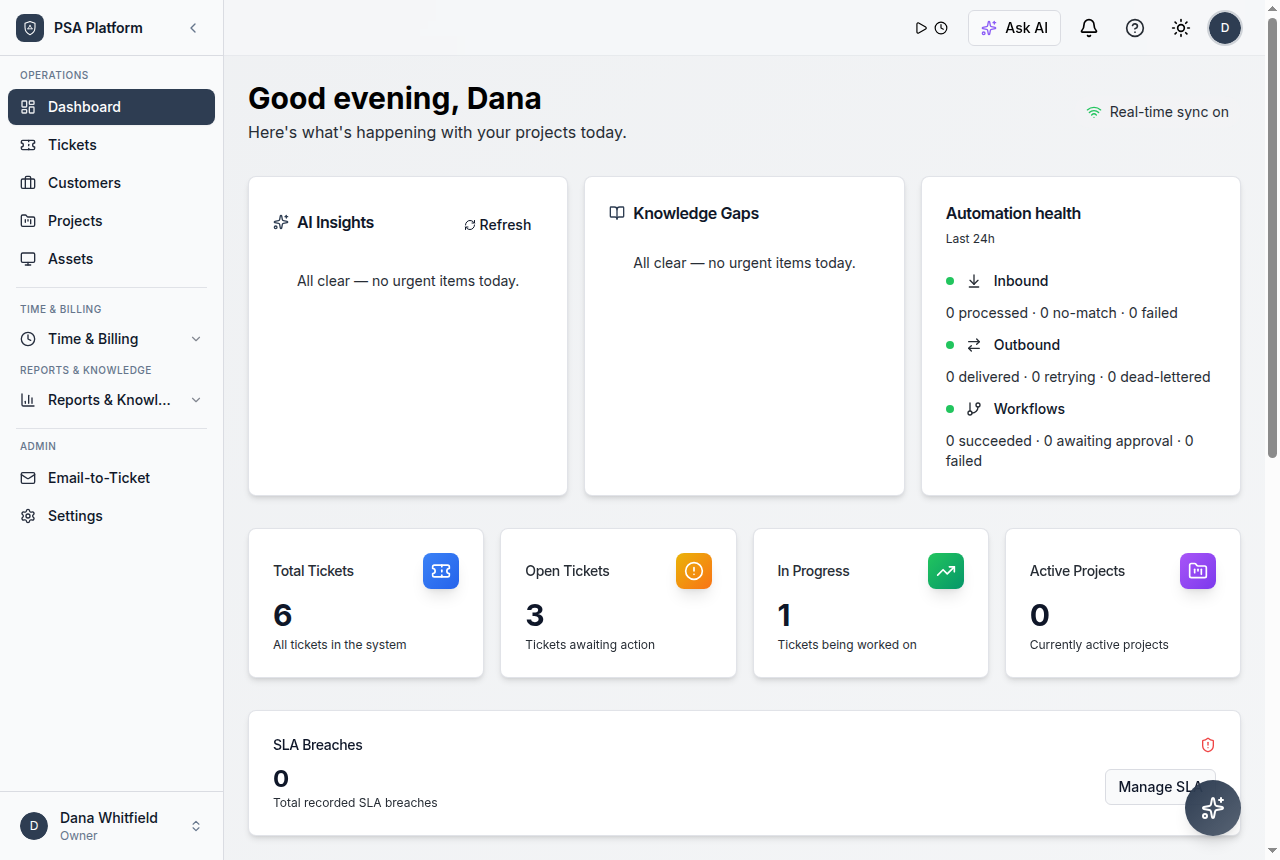
Service teams can move from client request to resolution without losing operational context.
The dashboard view brings open work, SLA exposure, technician activity, customer context, and billing signals into one starting point. From there, teams can move into tickets, customers, contracts, workflows, time entries, invoices, and reports with tenant scope intact.
- Review queue health and SLA exposure before triage.
- Use customer, contract, and catalog context to prioritize the right work.
- Move delivery forward with notes, files, replies, approvals, and time capture.
- Close the loop with invoice-ready records and reporting.
Service desk and ticketing
Run request intake, ownership, communication, and resolution from one connected service record.
- Request queues
- Customer context
- Resolution history
Customer and contract management
Keep accounts, contacts, sites, agreements, and coverage rules connected to daily delivery.
- Customer records
- Contract coverage
- SLA alignment
Workflow automation
Automate routing, approvals, recurring work, and notifications with inspectable execution history.
- Visual builder
- Approval gates
- Execution history
AI assistance
Use AI Copilot for triage support, reply drafts, operational insights, and service summaries.
- Context-aware answers
- Reply drafts
- Operational insights
Time, billing, and contracts
Capture technician effort and move approved work toward invoice-ready records and payments.
- Timers and timesheets
- Billing approvals
- Invoice-ready records
Reporting and dashboards
Give managers visibility into queues, SLA performance, workload, billing readiness, and trends.
- Queue and SLA reporting
- Workload visibility
- Utilization trends
Built for accountable service delivery, not just another ticket queue.
Service teams need confidence that their PSA can connect customer context, govern automation, preserve operational records, and support multi-tenant delivery without splitting work across disconnected tools.
One connected service record
Requests, customer context, contract coverage, SLA expectations, technician time, and billing readiness stay connected. Teams do not have to rebuild context in separate tools to understand what happened and what is next.
Automation with governance
Automated steps can move work quickly, but they can also disrupt delivery when uncontrolled. ShieldPSA workflows run with approval gates, retries, and visible execution history so speed does not cost accountability.
Records that keep service history intact
Notes, replies, files, time entries, approvals, audit logs, and activity history remain connected. That helps service teams explain what was done, who owns the next step, and what still needs review.
Architecture for MSP and multi-tenant operations
Customer, tenant, role, and branding boundaries help service providers standardize delivery while keeping each client’s data, portal experience, and reporting scope separated.
Connect service records with the rules and automation that define delivery.
ShieldPSA keeps service operations grounded in current evidence. Ticket state, SLA position, customer and contract context, workflow runs, approvals, and time entries stay connected so teams can validate status before relying on an automated step or a billing decision.
Request and SLA control
Apply priority, owner, contract, and SLA expectations during active work.
Automation and approvals
Route, escalate, and approve work through inspectable workflow steps.
Billing readiness
Move approved time and contract rules toward invoice-ready records.
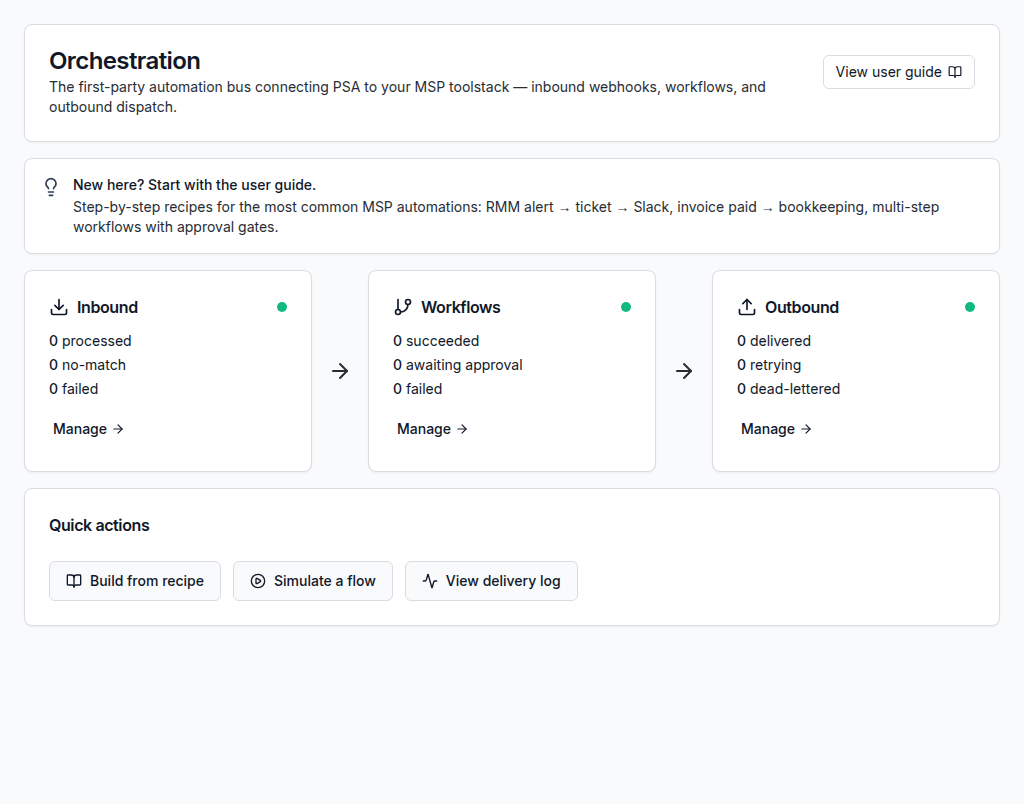
From client request to verified resolution.
ShieldPSA keeps the operational path clear: capture requests, prioritize with context, deliver with automation and time capture, review outcomes, and improve service with reporting.
Bring email, portal, catalog, and internal requests into one connected service queue.
Apply customer, contract, SLA, priority, and owner context before work begins.
Work requests with notes, files, replies, collaboration, automation, and time capture.
Check approvals, SLA state, resolution details, and billing readiness before close.
Use reports and service history to strengthen recurring service operations.
Built for service teams that need accountability, speed, and client-safe delivery.
ShieldPSA brings together the operational layers that matter when service work must be repeatable: request intake, customer and contract context, workflow automation, approvals, time and billing, reporting, and service-provider administration.
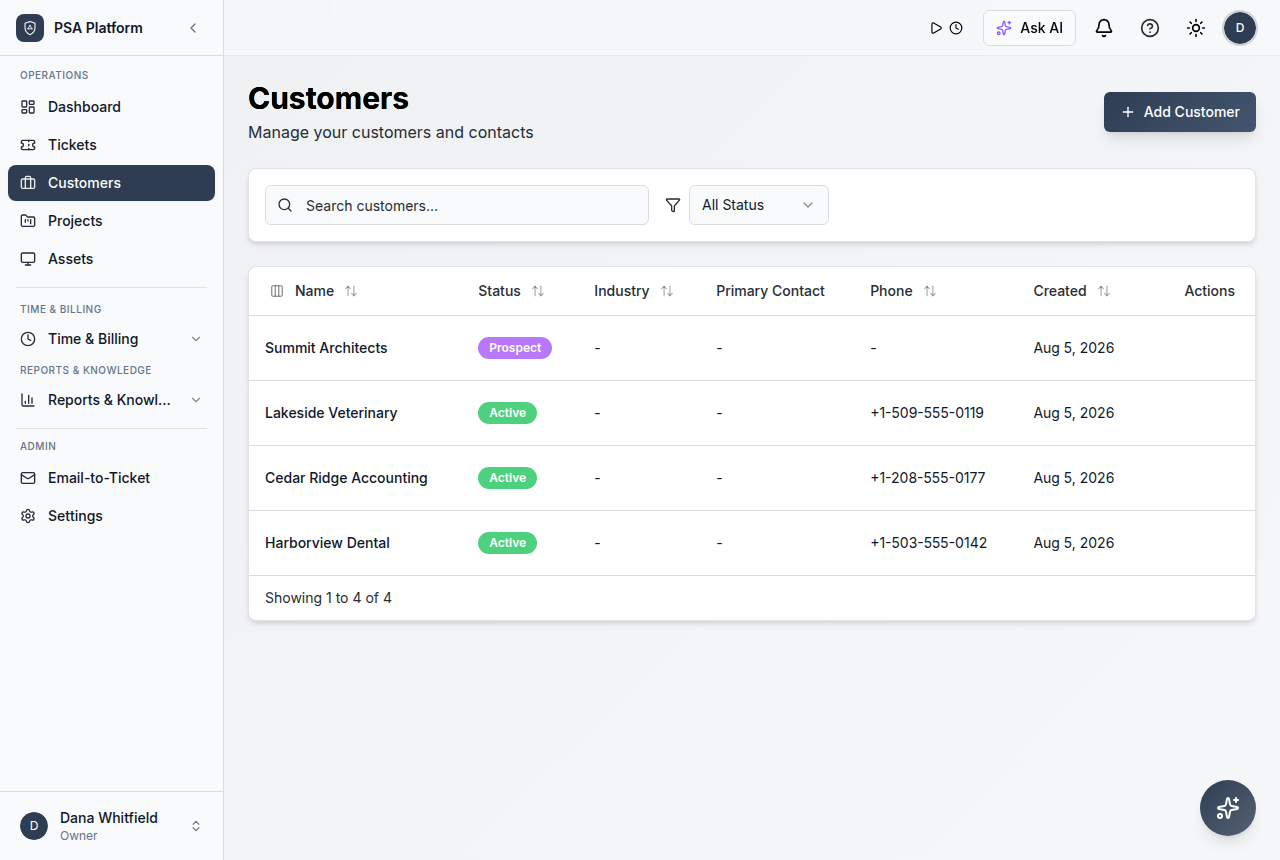
Service desk and ticketing
Capture requests, apply context, track ownership, and connect findings to resolution and billing workflows.
Workflow automation and follow-through
Run repeatable service steps with triggers, approvals, notifications, and visible execution results.
Governed approvals and actions
Use approval gates and audit trails so automated and manual actions stay reviewable.
MSP-ready operations
Separate customer scope, tenant settings, roles, branding, and reporting context for service delivery.
Explore the full ShieldPSA capability set.
Review the service desk, customer, contract, SLA, workflow, AI, time and billing, integration, administration, and reporting features that help teams operate ShieldPSA across client and internal service environments.
Ticket management
Manage service work with ticket ownership, priority, status, customer details, notes, attachments, and resolution history in one operational record.
- Capture, assign, and track every client request from intake to resolution
- Keep customer context, files, and internal notes attached to the ticket
- Review full operational history for follow-up and accountability
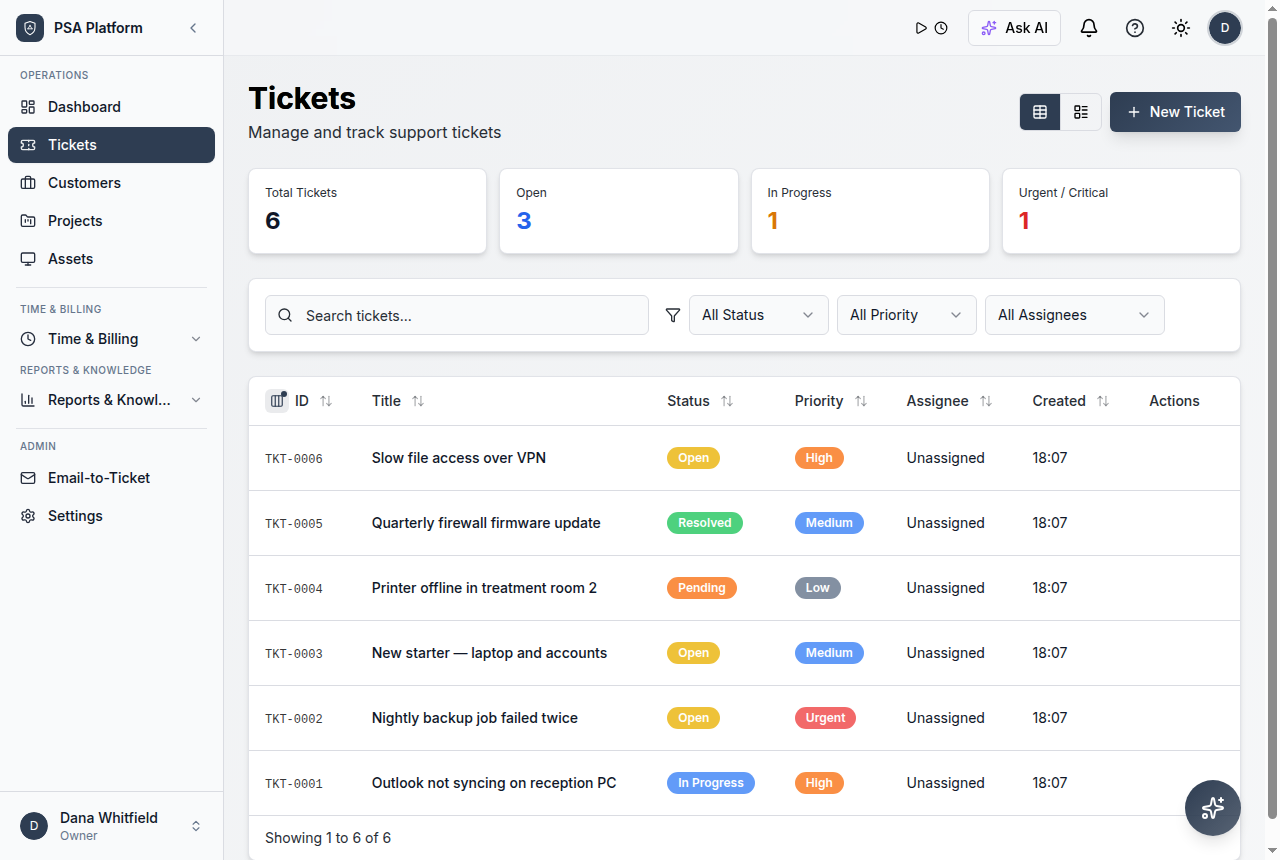
Email-to-ticket
Convert inbound support email into managed service desk tickets so requests enter a controlled workflow with status, ownership, and history.
- Turn shared-inbox messages into assignable service records
- Keep customer replies threaded with the correct request
- Reduce missed follow-up from unmanaged email threads
Client portal
Give customers a branded place to raise requests, check progress, add context, and find answers without relying on email threads.
- Offer structured customer-facing request entry and progress visibility
- Keep customer communication attached to the service record
- Present a white-label experience under your own branding
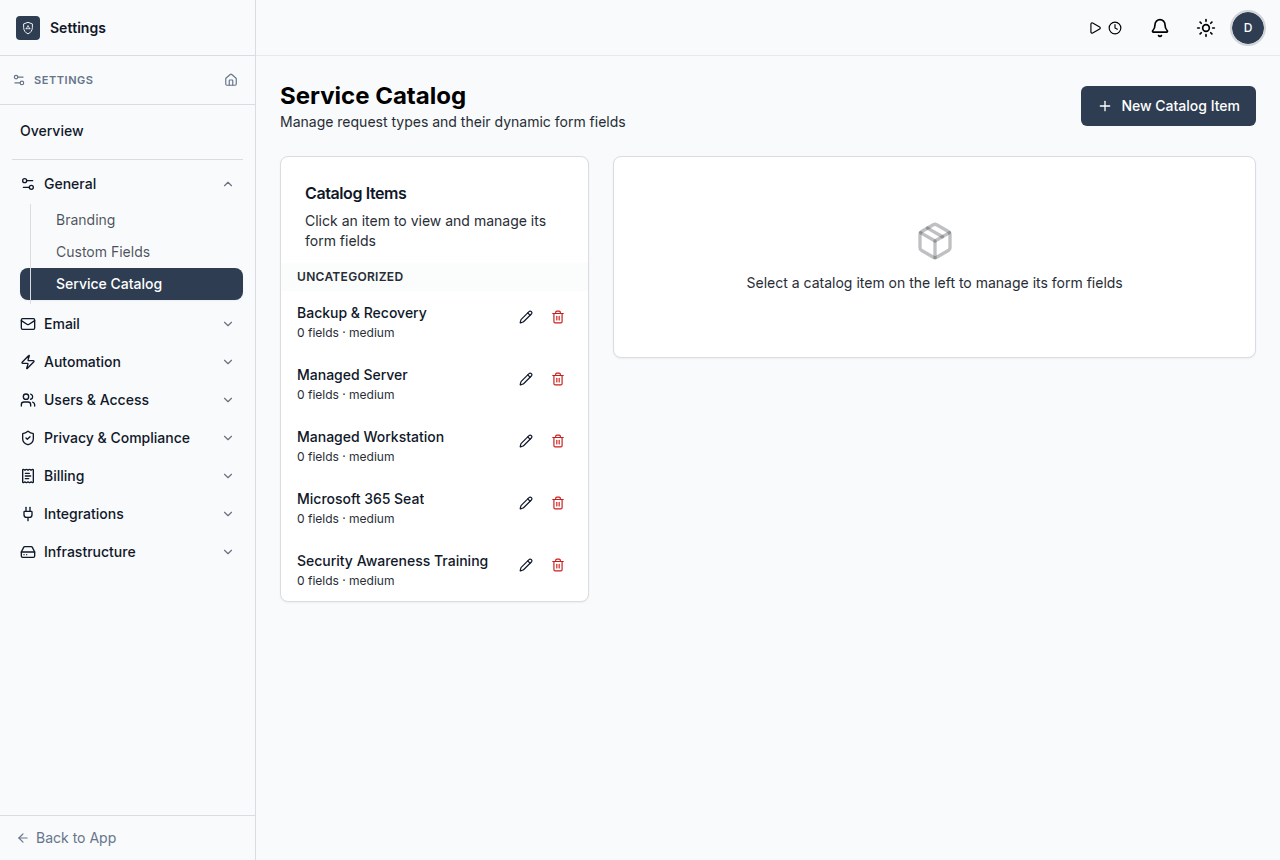
Service catalog
Standardize common requests so intake is clearer, categorization is consistent, and service expectations are easier to manage.
- Publish repeatable request options for customers and internal teams
- Standardize categorization for cleaner reporting
- Route catalog requests into the right delivery workflow
Knowledge base
Use reusable service knowledge for technicians and customer self-service so repeated questions do not become repeated work.
- Publish shared guidance for technicians and customers
- Support faster, more consistent resolution
- Connect reusable answers to service operations
Customers and service context
Manage customer accounts, contacts, organizations, sites, and service context without splitting information across tools.
- Keep customer, contact, and site records ready for every workflow
- Attach service history and expectations to each account
- Give technicians immediate context during delivery
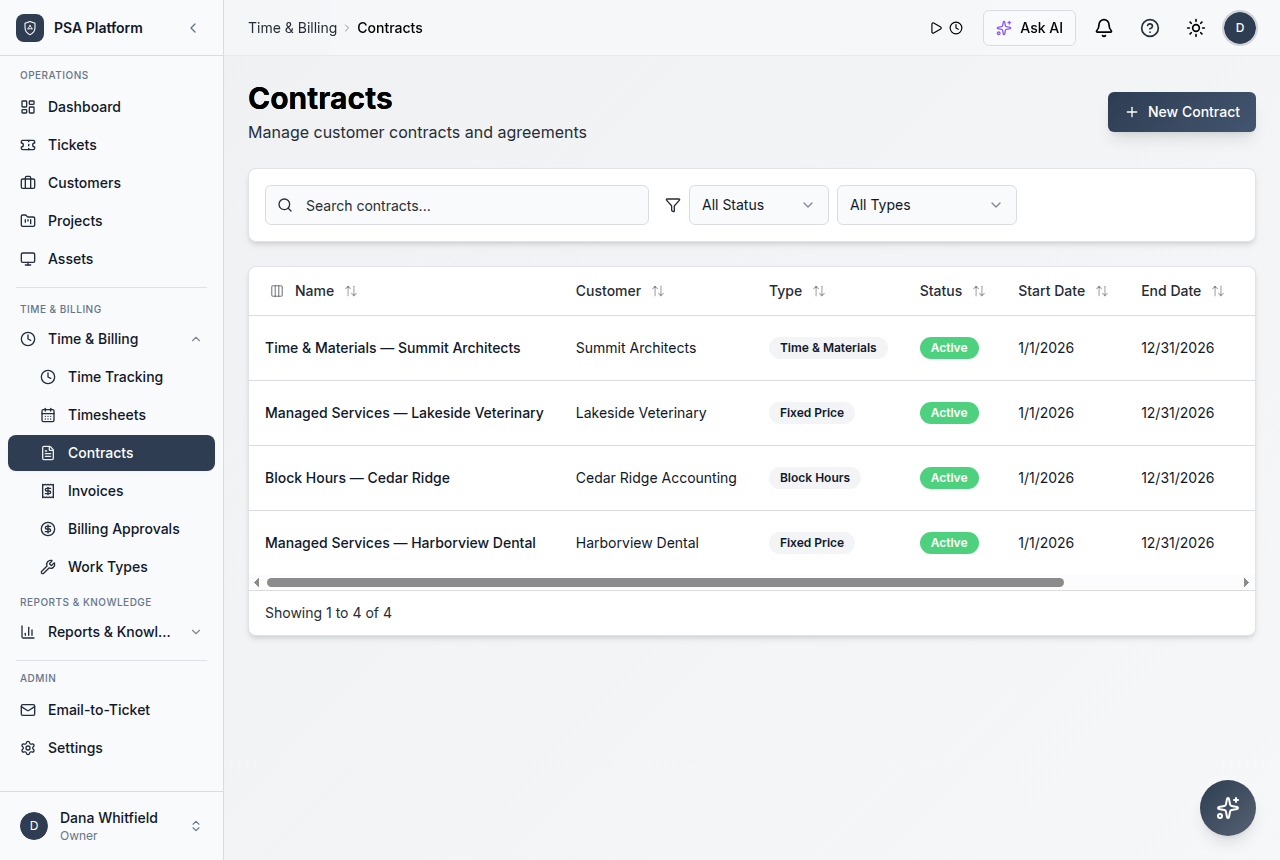
Contracts and coverage
Connect service agreements to SLA policies, billing rules, recurring work, and customer expectations.
- Define what each agreement covers and how it renews
- Align contracts with SLA and billing expectations
- Keep commercial context visible during delivery
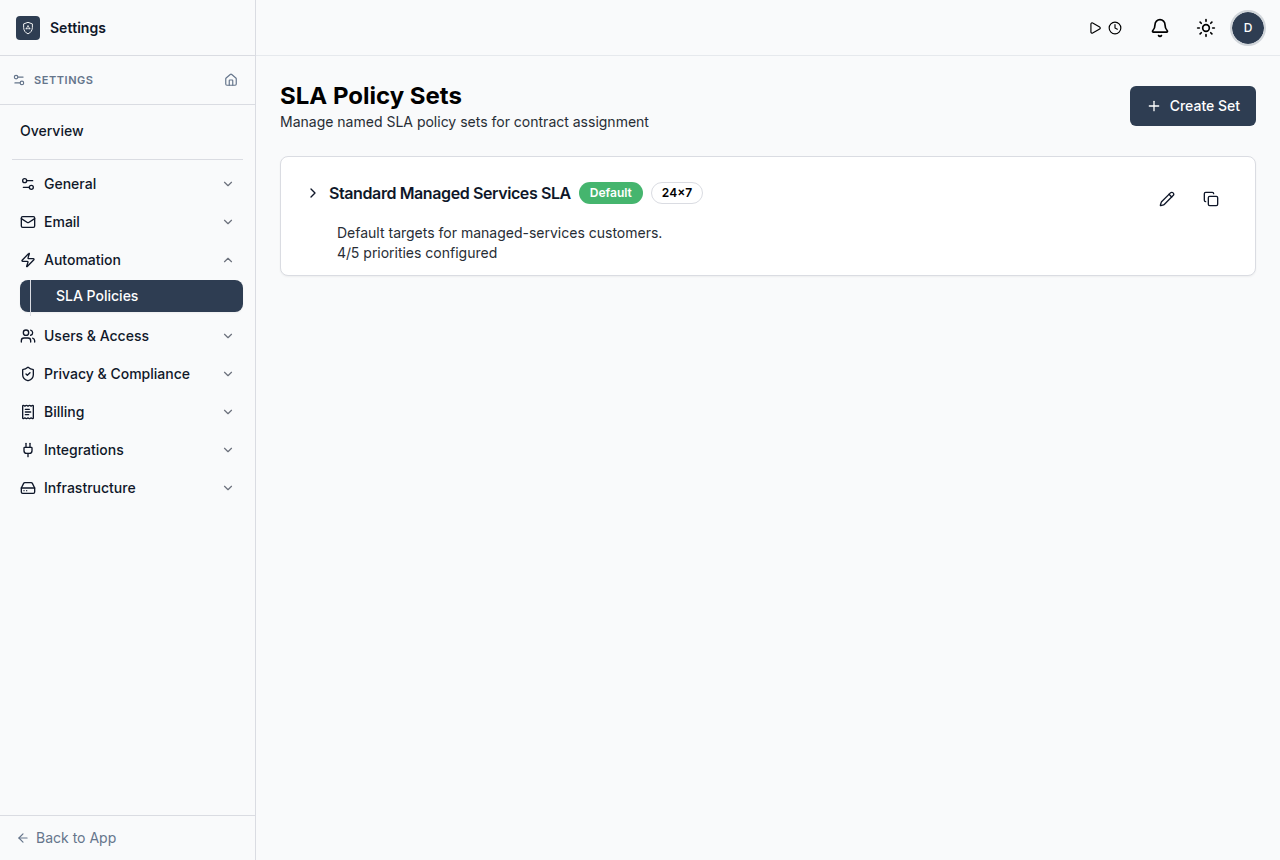
SLA policies and tracking
Define response and resolution commitments and monitor breach risk, escalation needs, and performance across active work.
- Apply SLA expectations to the right customers and contracts
- See which requests need attention before commitments slip
- Review SLA performance in operational reporting
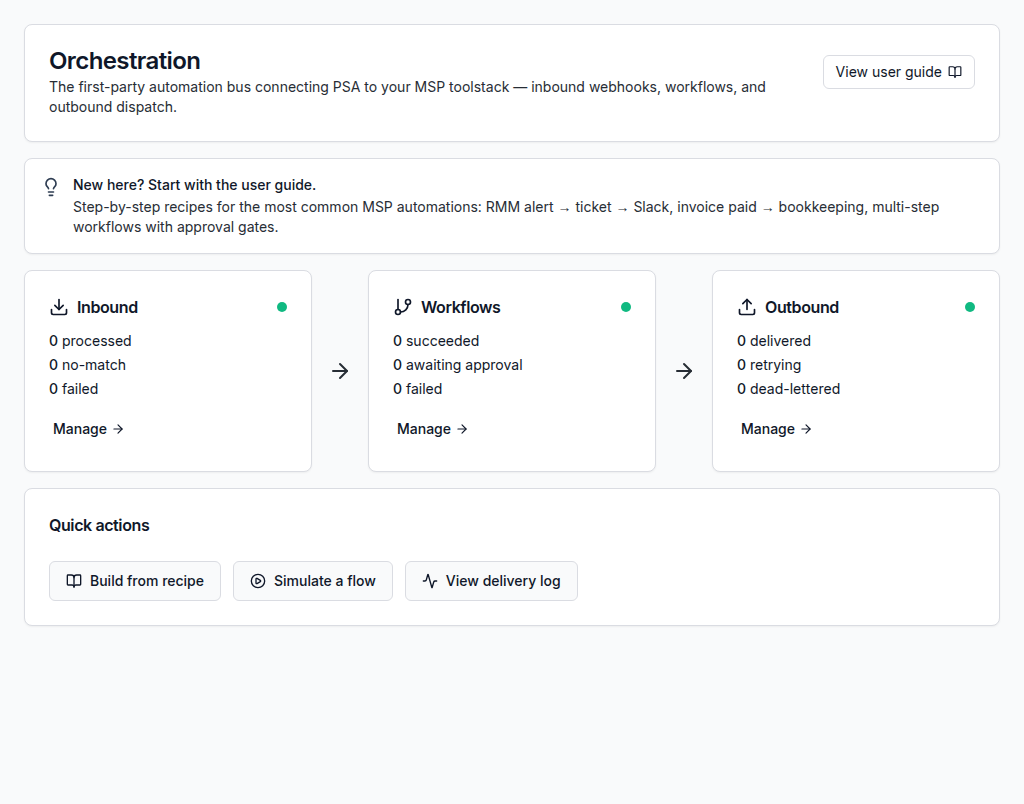
Workflow builder and orchestration
Build service flows with triggers, conditions, waits, branches, and actions that teams can inspect, schedule, and reuse.
- Automate routing, escalation, notifications, and recurring work
- Review what ran, when, and what happened next
- Standardize repeatable service operations
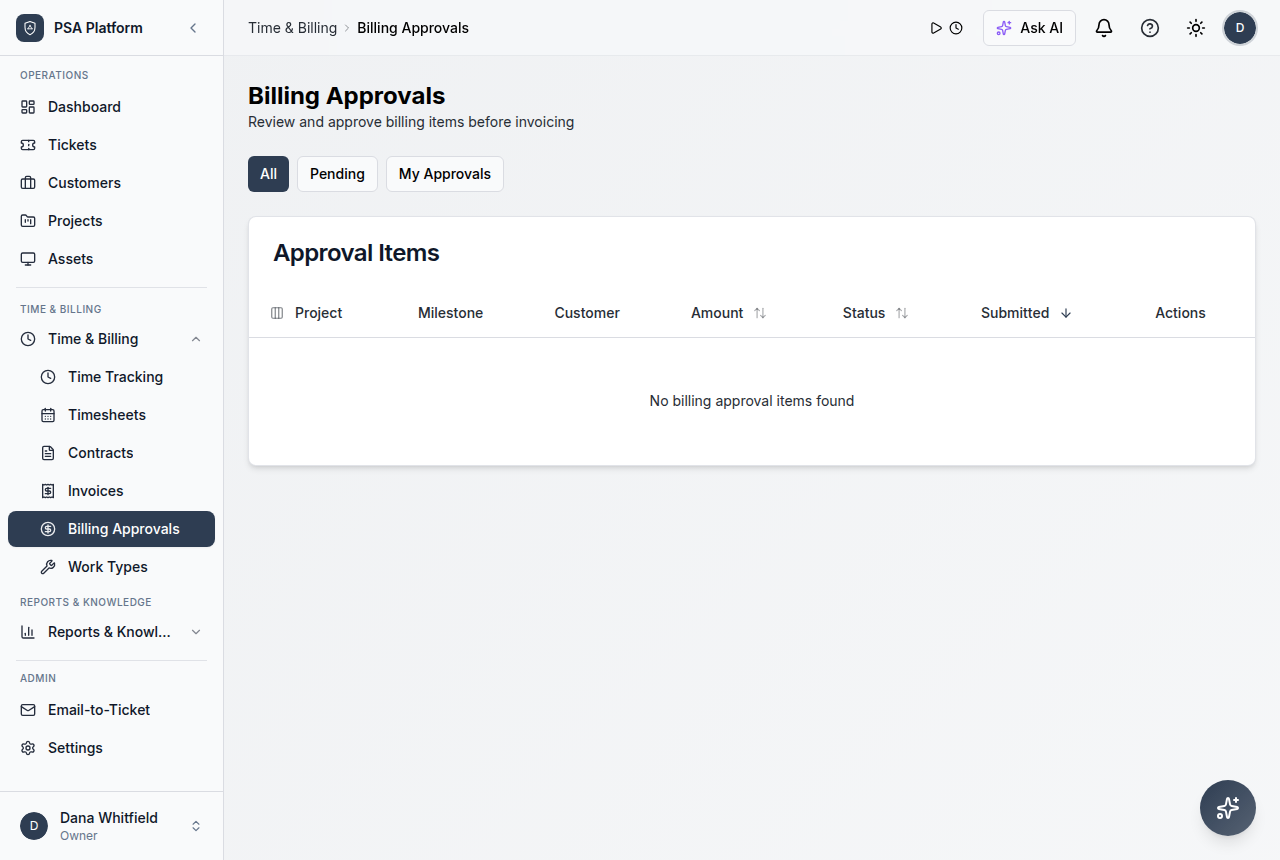
Approvals and governed actions
Add manager, customer, or finance review steps where work should not move automatically, and keep the decision trail visible.
- Gate billing, changes, and high-impact actions behind review
- Keep approval status visible inside the workflow
- Preserve accountability for automated steps
Webhooks, APIs, and MCP
Connect ShieldPSA to external systems with inbound and outbound webhooks, open API paths, and MCP server access for AI-agent workflows.
- Hand service data to RMM, collaboration, accounting, and payment paths
- Trigger workflows from external systems and push updates out
- Extend the platform where standard integrations end
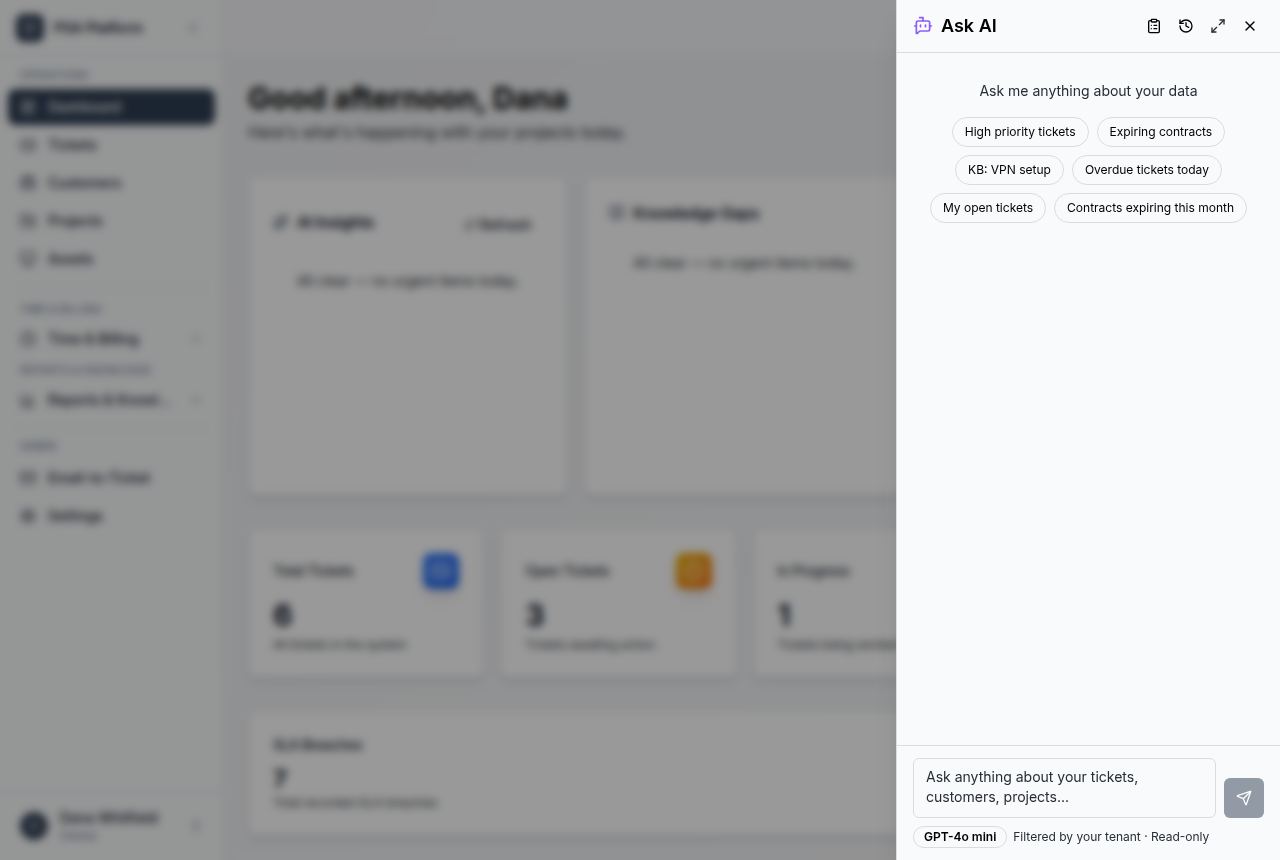
AI Copilot and insights
Ask operational questions about tickets, customers, invoices, SLAs, and workload, and use AI support for triage, reply drafts, and summaries.
- Surface context quickly instead of searching across records
- Draft technician-reviewed customer responses
- Spot stale tickets, SLA risk, and service patterns early
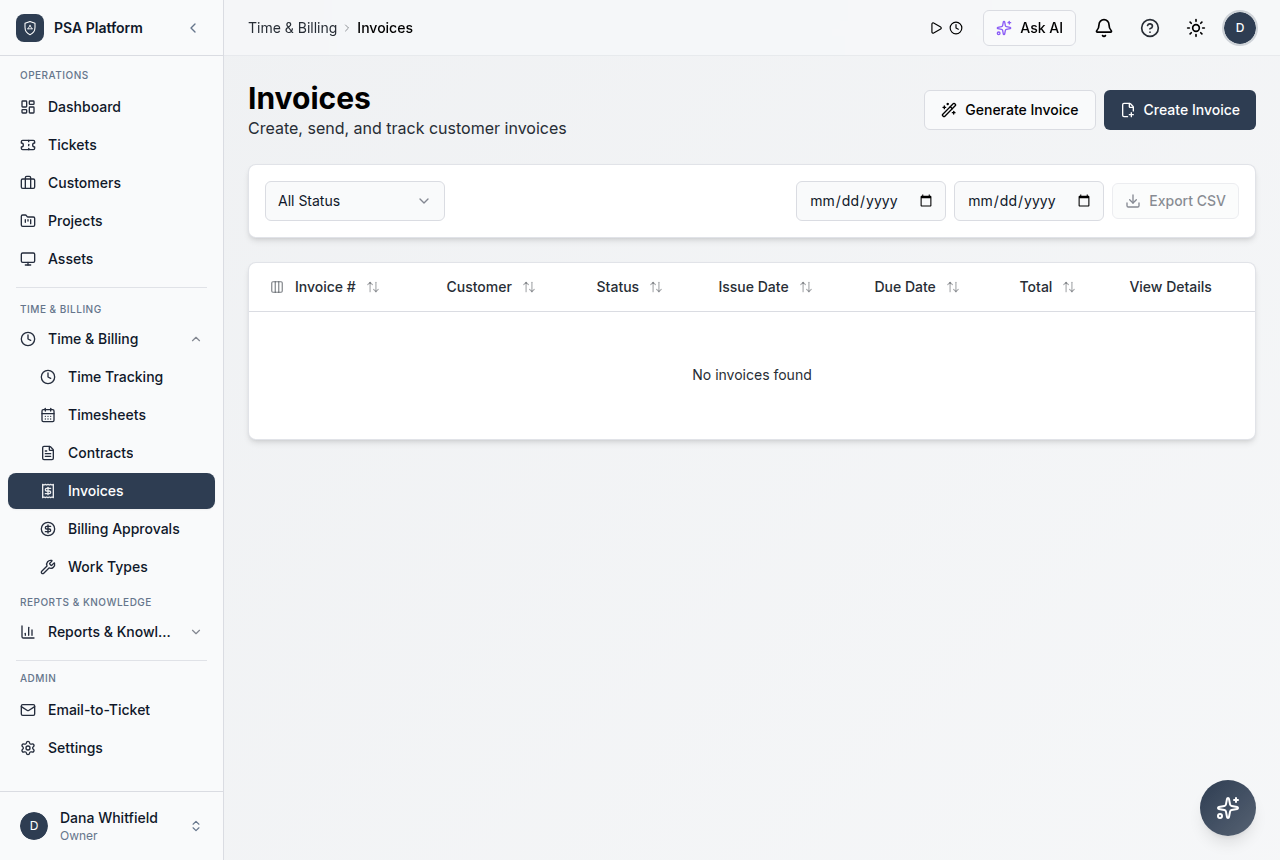
Time, billing, and invoices
Capture technician effort with timers and timesheets, move approved work through billing rules, and keep invoice-ready records aligned with contracts.
- Record effort against delivered service work
- Review approvals before work becomes billable
- Keep invoices aligned with tickets, time, and contracts
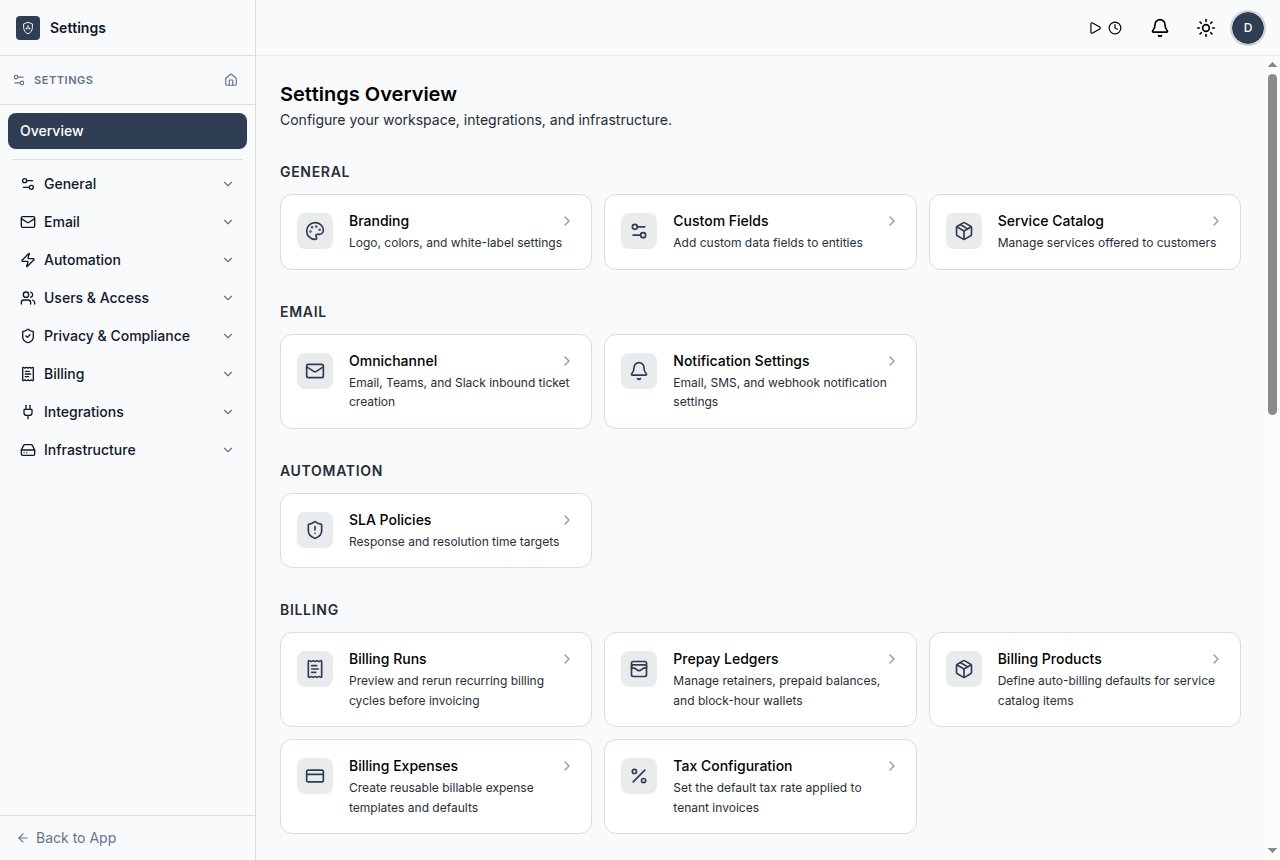
Users, roles, SSO, and audit
Control what owners, admins, managers, technicians, and viewers can see and do, with SSO support, audit logging, and tenant-aware administration.
- Apply role-based access across the service operation
- Sign in through OIDC single sign-on settings
- Track administrative and service changes in audit logs
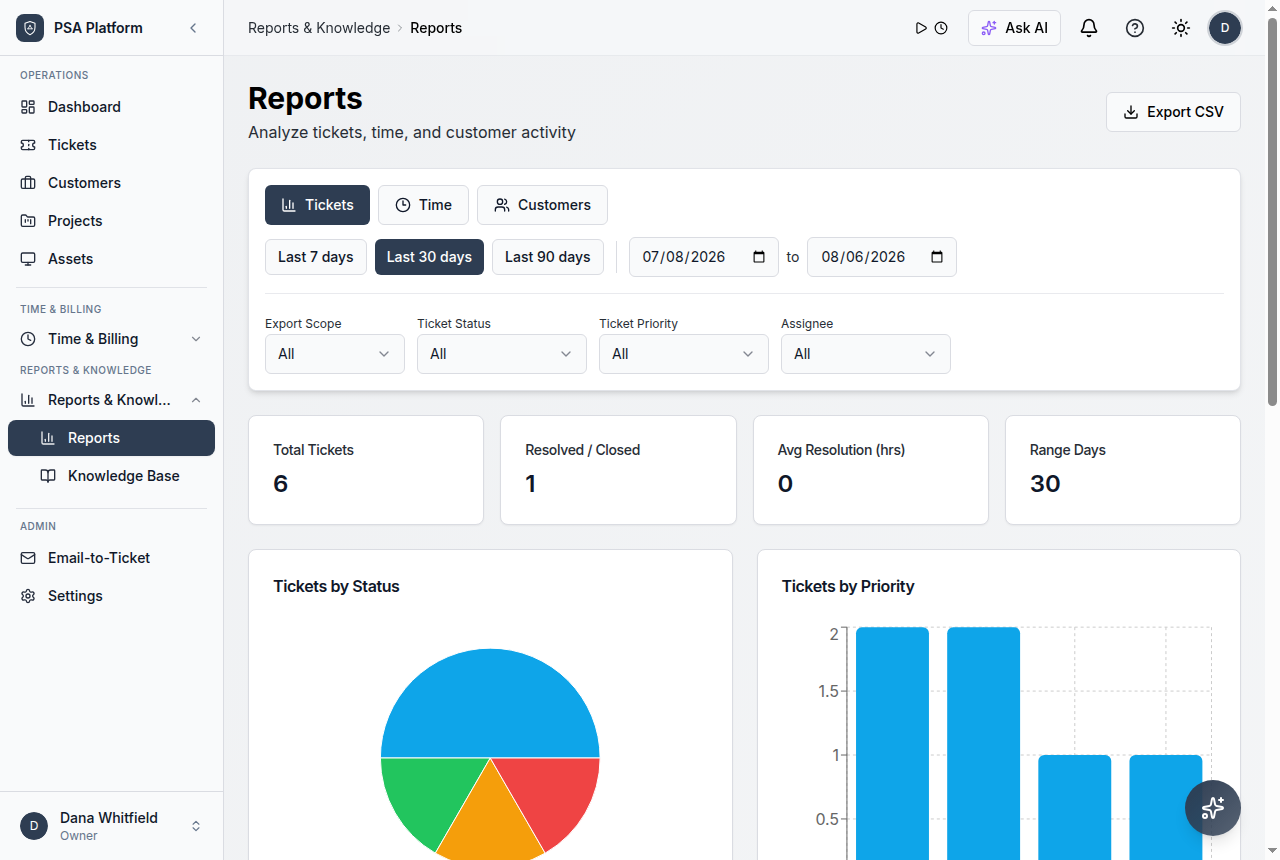
Reports and dashboards
Give managers a clear view of ticket volume, SLA performance, workload distribution, time and utilization, billing visibility, and operational movement.
- Monitor queues, SLA pressure, and follow-up risk
- Balance workload across technicians and teams
- Review delivery trends for continuous improvement
Answers for service leaders, MSPs, and IT teams evaluating ShieldPSA.
What is ShieldPSA?
ShieldPSA is a professional services automation platform that combines service desk ticketing, customer and contract management, SLA tracking, workflow automation, AI assistance, time tracking, billing readiness, integrations, reporting, and multi-tenant administration for MSP and IT service teams.
How is ShieldPSA different from a basic ticketing tool?
A basic ticketing tool focuses on requests. ShieldPSA connects tickets with customers, contracts, SLAs, workflows, approvals, time capture, billing readiness, reporting, and tenant-aware administration so teams can operate from request to accountable, invoice-ready outcome.
Is the ShieldPSA software free?
Yes. The ShieldPSA platform itself is free, with no software licence cost. Optional paid professional services are available for setup, migration, training, customization, and expert help.
Does ShieldPSA support MSP multi-tenant operations?
Yes. ShieldPSA is built for service-provider operations with customer and tenant separation, role-based access, delegated users, white-label branding, audit logging, and per-tenant service scope.
Does service desk work connect to billing?
Yes. Time entries, approvals, contracts, and invoice-ready records stay connected to the work performed by the service team, so completed tickets can support review and billing.
What integrations are available?
ShieldPSA supports marketplace integrations, RMM and collaboration connections, SMS and accounting or payment paths, email configuration, inbound and outbound webhooks, open API access, and an MCP server for AI-agent workflows.
Map ShieldPSA features to your service, client, and delivery model.
See how ShieldPSA can help your team strengthen request intake, deliver with automation and governance, protect SLA commitments, and keep service operations accountable — without a software licence cost.









